Scan to download
Get the 1111bd App File
Direct APK download — no app store required. The file is scanned and verified before every release.
Updated 09 Nov 2026
How to Install the 1111bd APK on Android
Takes about 4 minutes from start to your first login. Follow each step exactly — Android blocks outside APKs by default, so step 1 is essential.
-
1
Allow Installation from Unknown Sources
Open Settings → Security (or Privacy → Install Unknown Apps on Android 8+). Find your browser or file manager in the list and toggle Allow from this source to ON. This one-time setting lets Android accept APK files downloaded outside Google Play. You can turn it back off after installation if you prefer.
-
2
Download the APK File
Tap the Download APK button on this page from your phone's browser. The file is named
1111bd.apkand is 32 MB. Use a stable Wi-Fi or mobile data connection. The download usually completes within 30–60 seconds on a typical Grameenphone or Robi connection. -
3
Open the Downloaded File
Pull down your notification shade and tap the completed download notification, or open your Files / Downloads folder and tap
1111bd.apk. Android will show an installation screen listing the permissions the app needs. Review them and tap Install to proceed. -
4
Wait for Installation to Complete
Installation takes under 15 seconds on most Android phones. When you see "App installed" on the screen, the 1111bd app icon will appear in your app drawer. If Google Play Protect shows a warning, tap Install anyway — the APK is verified safe (see the Security section below for details).
-
5
Log In or Register to Start Playing
Open the 1111bd app and tap Log In if you already have an account, or Register to create one in under 2 minutes. After logging in, go to Deposit, choose bKash or Nagad, and send a minimum of ৳300 to activate your first-deposit bonus. You are ready to bet on cricket or spin slots.
App Version & System Requirements
All figures below come from the current release. Keep the app updated to get the latest cricket odds and game titles.
| Detail | Specification |
|---|---|
| App Name | 1111bd |
| Version | 3.8.11 |
| File Name | 1111bd.apk |
| File Size | 32 MB |
| Minimum Android | 7.0 (Nougat) |
| Recommended | Android 10 or above |
| Last Updated | 09 Nov 2026 |
| Price | Free |
| Languages | English, Bangla |
| iOS Support | Web app via Safari (Add to Home Screen) |
Storage & Data Tips
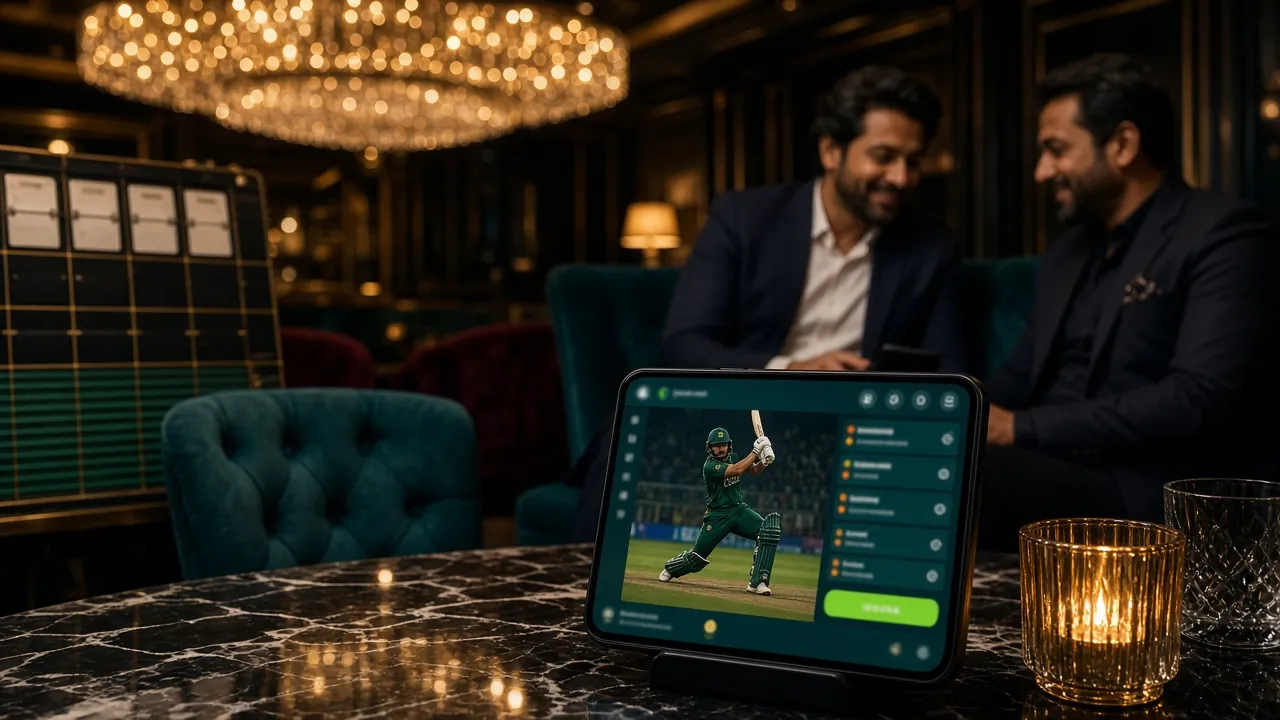
- Free up at least 80 MB storage before installing.
- Mobile data works fine — live casino uses roughly 150 MB per hour.
- Slots and crash games use far less data than live video streams.
- Enable auto-update notifications inside the app under Settings.
What Can You Do Inside the 1111bd App?
Everything on the full website, optimised for your phone screen and Bangladesh's mobile networks.
Cricket & Sports Betting
Bet on BPL, IPL, T20 World Cup and domestic ODI matches with live in-play odds. The app updates scores in real time — faster than most scorecard apps. Set your stake, pick your market (1X2, top batsman, total runs) and confirm in two taps. Minimum bet is as low as ৳10 on most cricket markets.
Live Casino with Real Dealers
Evolution and Sexy Gaming power the live lobby: Baccarat, Roulette, Dragon Tiger and more with real human dealers via HD video stream. Tables run 24 hours a day. The app handles the video smoothly on 4G, and you can switch between portrait and landscape while a round is in progress. Min bet from ৳5.

Instant bKash & Nagad Deposits
Open the Cashier tab, choose bKash or Nagad, enter the amount (minimum ৳300) and confirm with your mobile PIN. Funds appear in your 1111bd wallet in about 3 minutes. Withdrawals go back to the same mobile account — typical processing is 19 minutes. Rocket and Bank Transfer are also supported inside the app.
Push Notifications & Live Score Alerts
Allow notifications during installation and the app will ping you when: a new bonus is available, a match you bet on starts, or your withdrawal is processed. You can fine-tune which alerts you receive in Settings → Notifications. This keeps you updated without needing to check the app manually between matches.
Is the 1111bd APK Safe to Install?
Legitimate question — here is exactly what the app does and does not access on your phone.
File Verification Before Each Release
The APK hosted at /download/1111bd.apk is scanned with multiple antivirus engines before it goes live. The SHA-256 checksum is published on the download page so you can verify the file is unmodified. Never install an APK that arrives via WhatsApp or SMS from an unofficial number — only download from 1111bd.vin directly.
What Permissions the App Requests
The app asks for: Internet (to load games and process payments), Camera (optional — only needed if you upload a KYC document via photo), and Notifications (optional — push alerts for bonuses and match results). It does not request access to your contacts, call logs, SMS inbox or location. You can review and revoke any permission at any time in Android Settings.
Payment Data Is Never Stored on the Device
All financial transactions happen over an encrypted HTTPS connection directly with the payment processor (bKash, Nagad, Rocket). The 1111bd app does not store your mobile banking PIN or account number locally. When you tap to deposit, the app hands off to the payment gateway — the same flow as using those apps on a browser. Your 1111bd login credentials are stored in encrypted local storage, not plain text.
Keeping the App Updated
Unlike Google Play, APK updates are not automatic by default. When a new version is available, the 1111bd app shows an in-app banner with a one-tap download link. Updates typically drop monthly and include new game provider integrations and security patches. Version 3.8.11 (current) adds improved bKash payment flow and faster lobby loading on Android 7–9 devices. Install updates only from inside the app or from this page.
App vs Browser — Which Should You Use?
Both give you full access to 1111bd. The app pulls ahead on mobile-specific tasks; the browser is better if you are on a desktop or cannot install APKs.
| Feature | 1111bd App (Android) | Mobile Browser | Desktop Browser |
|---|---|---|---|
| Cricket Live Odds | Real-time push | Manual refresh | Real-time |
| Push Notifications | Yes | No | No |
| bKash / Nagad Deposit | In-app, ~3 min | ~3 min | Bank Transfer only |
| Live Casino Video | HD, 4G optimised | Depends on browser | HD |
| Game Library Size | 3,400+ titles | 3,400+ titles | 3,400+ titles |
| Offline Access | No (requires connection) | No | No |
| Fingerprint / Face Login | Yes (Android 9+) | No | No |
| Screen Rotation Lock | In-app toggle | System only | N/A |
| Data Usage vs Browser | ~20% lighter on slots | Standard | Standard |
| KYC Document Upload | Camera in-app | File picker only | File picker |
If you use an iPhone or iPad, the best option today is the browser-based web app. See the iOS section below for how to add 1111bd to your home screen for a near-native feel.
Installation Not Working? Fix It Here
These five problems account for almost all installation failures reported by players in Bangladesh. Match your error to the table row and follow the fix.
| Problem | Most Likely Cause | What to Do |
|---|---|---|
| "Install blocked" error | Unknown sources permission not enabled for the browser or file manager you used to open the file. | Go to Settings → Security → Install Unknown Apps. Find the app you used to open the APK (e.g., Chrome or Mi File Manager) and toggle it ON. Then tap the APK file again. |
| "Parse error" on installation | The APK file is corrupted — most often because the download was interrupted on a poor connection. | Delete the partial file from your Downloads folder. Reconnect to a stronger Wi-Fi or 4G signal and download the APK again from this page. Do not resume a failed download. |
| "Insufficient storage" message | Your phone has less than the required free space. Android needs extra room beyond the APK size to unpack the app during installation. | Free up at least 150 MB: delete unused apps, clear cache via Settings → Storage → Cached Data, or move photos to Google Photos. Then attempt installation again. |
| Google Play Protect warning popup | Play Protect scans all APKs from outside Google Play and shows a generic warning regardless of the file's safety record. | Tap "Install anyway" on the warning screen. The 1111bd APK does not contain malware. After installation you can submit the file to Play Protect for review to dismiss future warnings. |
| App installs but crashes on open | Android version below 7.0, or incompatible processor architecture (rare, mainly very old Mediatek chipsets). | Check your Android version at Settings → About Phone → Software Information. If you are on Android 6 or below, use the browser version at 1111bd.vin on Chrome instead. Contact 24/7 Live Chat if you are on Android 7+ and still see crashes. |
Using 1111bd on iPhone or iPad
Apple does not allow APK installation on iOS. The good news: 1111bd's mobile website works fully in Safari, and you can pin it to your home screen for a near-app experience. No download needed.
-
1Open Safari
Navigate to 1111bd.vin in Safari on your iPhone or iPad. Chrome and Firefox on iOS do not support the Add to Home Screen feature, so Safari is required for this to work.
-
2Tap the Share Icon
Tap the Share button at the bottom of the Safari toolbar (iPhone) or at the top right (iPad). A sheet of options will slide up from the bottom of the screen.
-
3Select "Add to Home Screen"
Scroll down in the share sheet until you see Add to Home Screen. Tap it. You can rename the shortcut — keep "1111bd" for easy recognition. Then tap Add in the top-right corner.
-
4Launch from Your Home Screen
The 1111bd icon will appear on your iPhone home screen just like a real app. Opening it launches a full-screen session without Safari's address bar. All features — betting, live casino, bKash deposit — work the same as in the browser.
Android vs iOS at a Glance
- Android: Full native app via APK. Push notifications, fingerprint login, slightly lower data usage on slots. Requires Android 7.0 or above.
- iPhone / iPad: Browser-based web app pinned to home screen. All games and payments available; no push notifications. Works on iOS 14+.
- A dedicated iOS app is not currently available. If that changes, this page will be updated. Watch for in-app announcements.
18+ Only — Play Responsibly
The 1111bd app is intended for adults aged 18 and over. Gambling carries financial risk. Set deposit limits inside the app under Settings → Responsible Gaming before you start. If you feel you are losing control, contact our 24/7 Live Chat support or visit our Responsible Gaming page for self-exclusion options.
Questions Players Ask Before Installing
Answers based on real support queries from 1111bd users in Bangladesh.
Is the 1111bd APK safe? Could it contain malware?
The APK is built from the same codebase as the website and is scanned with antivirus tools before each release. It does not access your SMS, contacts or banking apps. The main risk is downloading the file from an unofficial source — fake APKs circulate on WhatsApp groups. Always download from 1111bd.vin/1111bd-app/ only. If you are still unsure, scan the downloaded file with any reputable antivirus app on your phone before tapping Install.
Why does my phone say "Install blocked from this source"?
Android blocks APK files from outside Google Play by default as a security measure. You need to give permission to the specific app you used to open the APK file. Go to Settings → Security → Install Unknown Apps, find your browser (e.g., Chrome) or file manager, and toggle Allow from this source on. After installation you can switch it back off. This setting affects only the specific app you selected, not all apps on your phone.
How do I update the 1111bd app when a new version comes out?
The app displays an update banner on the home screen whenever a newer version is available. Tap the banner and it takes you directly to this page to download the latest APK. Install it over the existing version — your account data, settings and bonus balance are not affected by an update. You do not need to uninstall the old version first. Current version is 3.8.11, released 09 Nov 2026. Updates typically arrive monthly.
Can I use the same account on both the app and the browser?
Yes. Your 1111bd account works across all platforms — the Android app, any mobile browser and desktop. Your wallet balance, bonus progress, VIP tier and bet history all sync in real time. You can start a session on the app, switch to a browser mid-session and continue without losing anything. Logging in on a new device does not log you out of other devices automatically, but you can manage active sessions under Settings → Security → Active Sessions.
What is the minimum Android version needed to run the 1111bd app?
The app requires Android 7.0 (Nougat) or above. Most phones sold in Bangladesh since 2017 meet this requirement. To check your version, go to Settings → About Phone → Software Information → Android Version. If you are on Android 6 or below, use the full website at 1111bd.vin in Chrome instead — all games and payment methods are available there too. For the best app experience, Android 10 or above is recommended.
Does the 1111bd app work without Wi-Fi, on mobile data only?
Yes, the app runs on mobile data. Slots and crash games use roughly 20–40 MB per hour. Live casino with video streaming uses about 150 MB per hour on HD quality — you can lower this in Settings → Video Quality → Data Saver to cut usage by about half. Cricket bet placement uses almost no data. If you are on a limited data plan, avoid keeping live casino streams open in the background when you are not actively watching a table.
How do I deposit with bKash after installing the app?
Open the 1111bd app and tap Cashier → Deposit. Select bKash from the list, enter the amount (minimum ৳300), and the app will show you the agent number to send money to. Open your bKash app, send the exact amount, then return to 1111bd and confirm the transaction reference number. Funds appear in your 1111bd wallet within about 3 minutes. Nagad and Rocket follow the same flow. For a step-by-step walkthrough, visit the 1111bd Deposit Guide.
Ready to Play? Download the 1111bd App Now
Get the APK on your Android phone, register an account in under 2 minutes, and deposit with bKash or Nagad to start betting on cricket, spinning slots and playing live casino games.